
All your terminals. On your computer and on your phone.
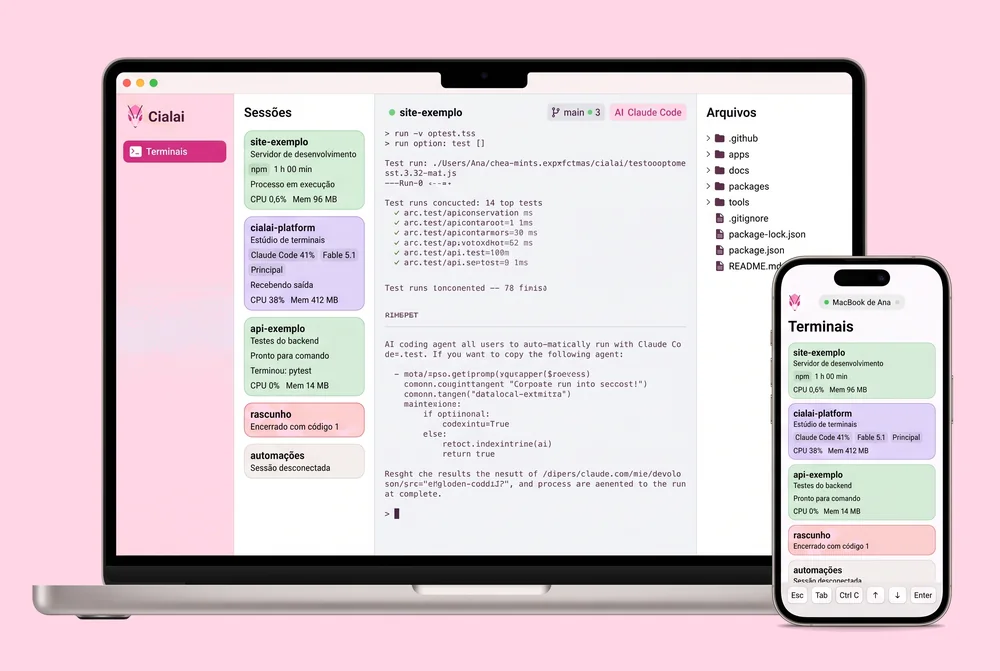
Each session is a shell in a folder, with a card that shows what is running and what needs attention. Your phone follows everything through an end-to-end encrypted connection the computer sets up on its own.
The studio
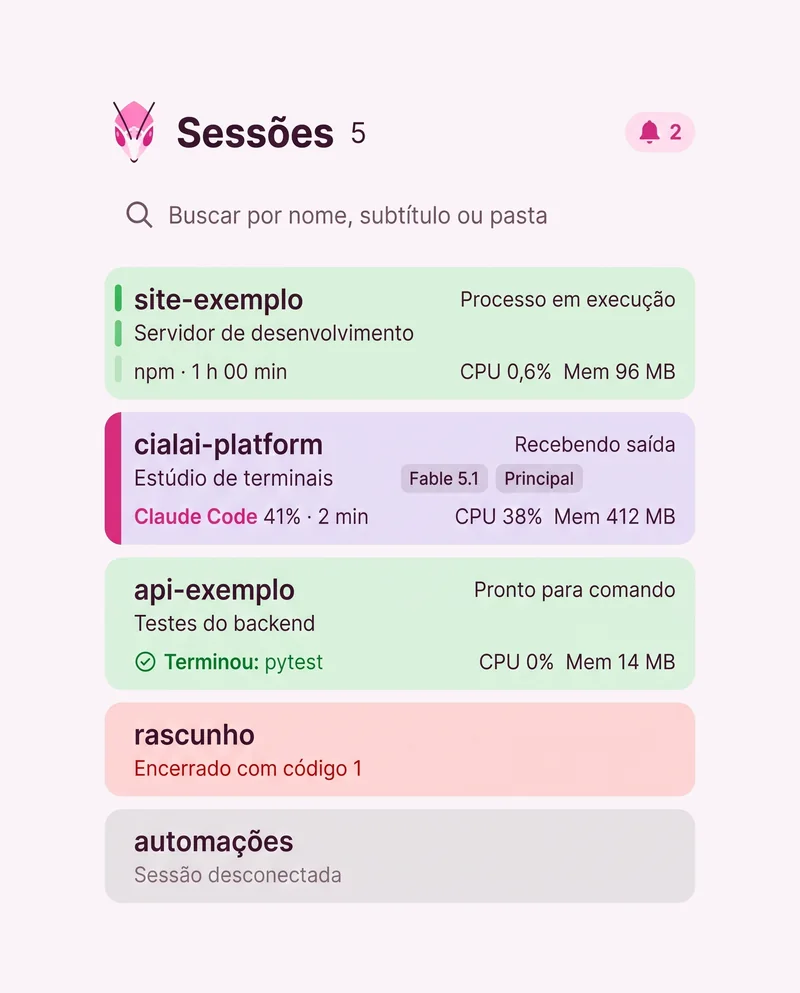
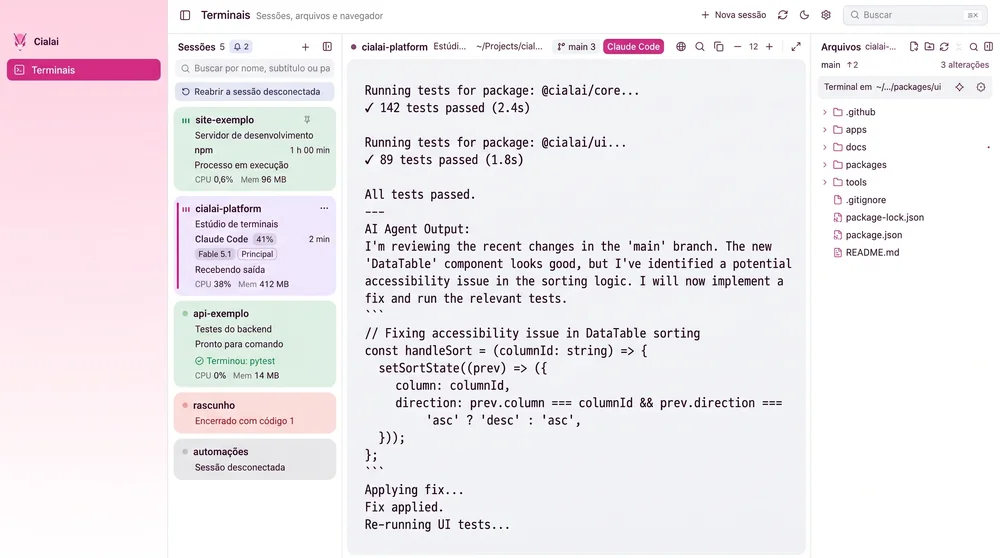
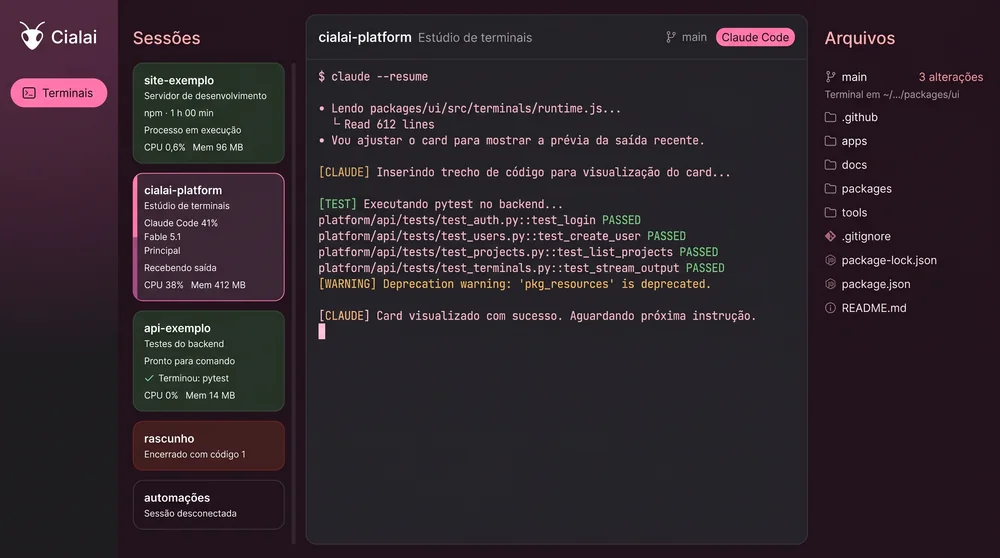
Cards that only say what was observed.
Each session's state comes from what the system observes: foreground process, bytes received, exit code and program signals. Nothing is inferred.
-
Attention that stays until you look
Terminal bell, the end of a long job or the end of the shell mark the card. It clears when the session is viewed.
-
CPU and memory of the whole tree
The measure adds up every process the shell opened, the same column as the system monitor.
-
Switching cards interrupts nothing
Process, history, scroll and tabs stay where they were. Closing the app does not erase anything either: history comes back.
On your phone
The computer leads. The phone follows.
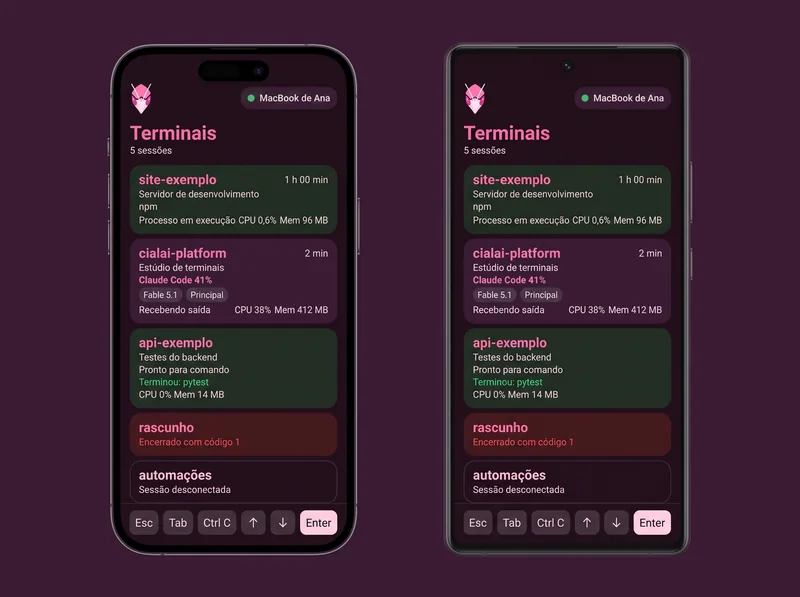
The same cards, the same interface. You open any session, read the live output, type and close it. A phone with a bad signal never freezes a shell on the computer.
-
One single interface
The phone receives the same page the computer bundles. There is no second interface to maintain.
-
The keys a phone is missing
Esc, Tab, Ctrl C, arrows, Enter and Paste in a row above the keyboard. The terminal fits the screen width.
-
Read-only files, no secrets
The project tree opens on the phone with a size limit and sensitive files blocked. Delicate actions ask for biometrics.
How it works
Three steps.
Install on both sides and point the camera.
-
1
Install on the computer
Choose your project folders and your shell. The first terminal opens in under three minutes.
-
2
Install on the phone
Install the APK on Android, or the iPhone app from the App Store, and open the QR reader.
-
3
Pair with the QR
The computer shows a QR that rotates and expires. In under a minute the phone sees the same sessions.
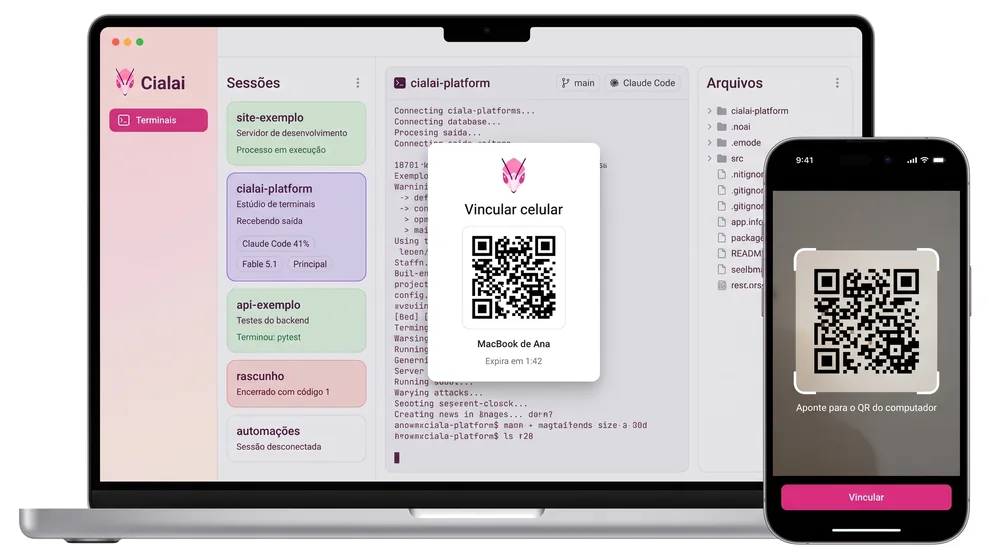
Automatic connection
End-to-end encrypted. No server in between.
The computer sets everything up on its own. The phone connects over the local network, the internet or the Tor fallback.
-
No server in the path
Not yours, not Ordinum's. Terminals, files and traffic stay between your devices.
-
Direct whenever possible
QUIC with TLS 1.3 and one key per device. The computer opens the router port when the router allows it.
-
Tor fallback
When the network blocks a direct connection, the embedded Tor keeps you connected.
-
One key per phone
Single use QR code that expires in 10 minutes. Revoke one phone without touching the others.
~/Projects/cialai main % claude --resume
Retomando a conversa de 12/09, 15:41

Claude Code 41% · Fable 5.1 · perfil Principal

✓ 17 casos em check-terminal-sync.mjs
✓ baseline Rust sem falhas
…
Terminou: npm test em 2 min 14 s
~/Projects/cialai main % ▌
Coding agents
Made for people who run several agents at once.
With Claude Code or Codex in the foreground, the card shows plan usage, model and profile. Closing the app does not lose the conversation: Cialai resumes where it left off.
Recognized from the command line, no plugin needed.
Next to the terminal
Editor, project tree, Git and previews in one place.
Editor tabs, an explorer with Git markers, document previews and a Dev Browser per session. Light and dark follow the system.
Download
On your computer and on your phone.
The desktop creates and runs the terminals. The phone follows and controls.
Computer
Preview 0.2.9 for macOS, Windows and Linux.
Phone
Preview 0.2.9 for Android as an APK. On iPhone, on the App Store.
On Linux and Mac, with one command
On Linux it picks the .deb, the .rpm or the AppImage for your distribution. On Mac it downloads the .dmg for your chip and copies the app to Applications. It checks the checksum and installs.
curl -fsSL https://cialai.com.br/install.sh | bashOpen source
Built in public. Maintained by Ordinum.
Code, documentation and publishing settings live in the same repository, under Apache 2.0. Issues and pull requests are welcome, and the community talks on Discord and WhatsApp.